Your AB Projects name and photo start as a copy of your Microsoft 365 profile, but after that first sign-in they're independent — editing them in AB Projects never changes your Microsoft account, and changing your Microsoft account won't update AB Projects.
What's in your profile
The Profile card sits at the top of the Settings tab. Only you can edit your own profile.
| Setting | What it controls |
|---|---|
| Photo | The image teammates see next to your name. Click the photo itself to change it (an image file up to 2 MB). |
| Display name | The name shown to your team everywhere in AB Projects. |
| Language | The interface language — see Language and Locale Settings. |
| Time zone | When your task reminders arrive — see Notification Preferences. |
Edit it, step by step
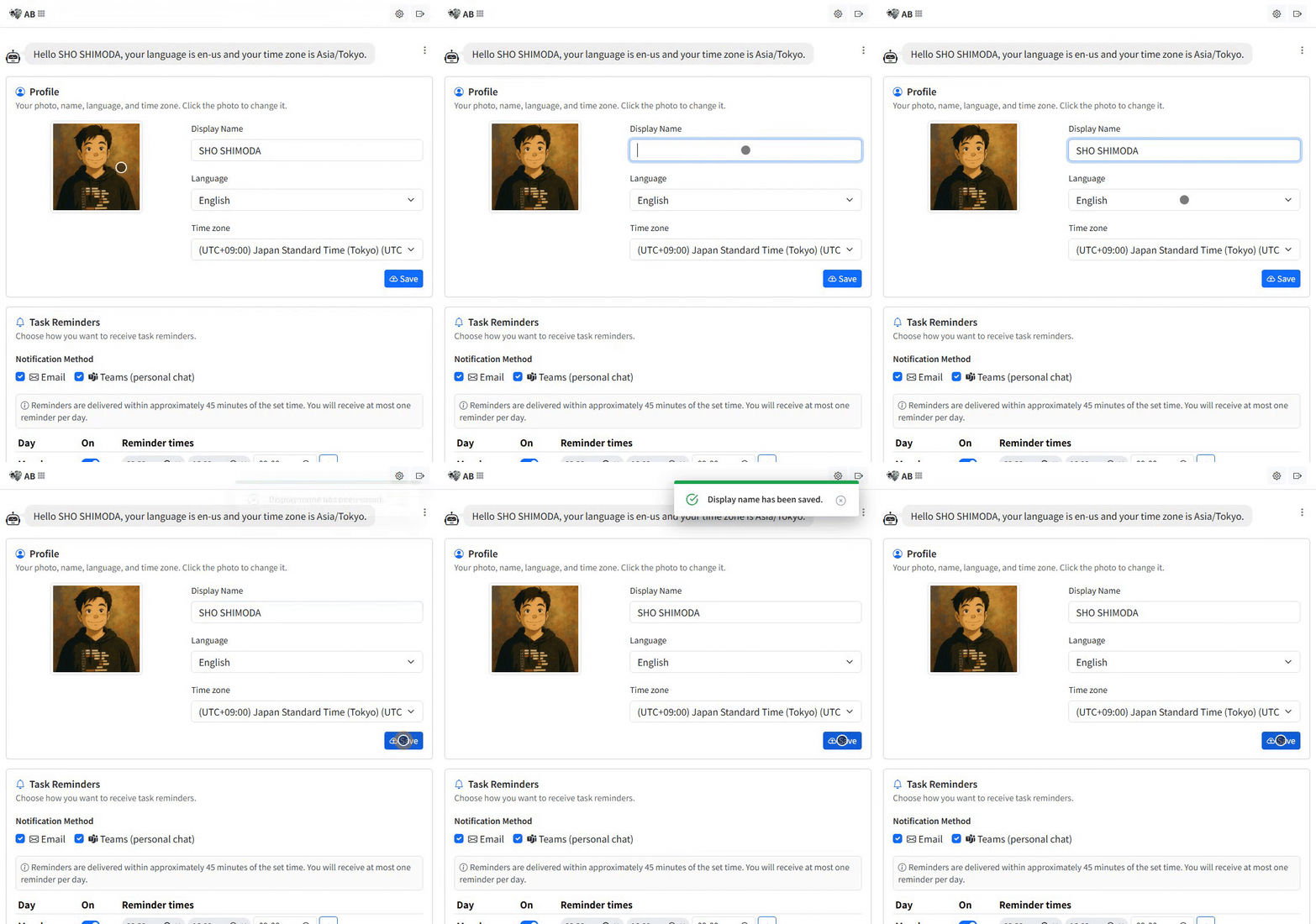
- Open the Settings tab. In Teams: left rail → AB Projects → Settings. In the browser: blz.actionbridge.io → Settings (see Supported Platforms for all the ways in).
- Change your photo. Click your current photo, pick an image file (up to 2 MB). It uploads right away — no save step — and teammates see it as their views refresh.
- Edit your name. Type the name you want in Display name.
- Adjust language and time zone with the Language and Time zone dropdowns.
- Click Save. Unlike the photo, your name, language, and time zone apply only when you press the Save button at the bottom of the Profile card.
Where your name and photo appear
Task lists and the task detail panel, comments and @mentions, the Kanban and Gantt views, and the Adaptive Cards (the interactive update cards the AB bot posts) in the linked Teams channel — see Notifications and Reminders for what gets posted. A recognizable name and photo make it obvious who owns and is discussing what.
Tips
- Use a clear headshot or a simple avatar so you're easy to spot in assignee and mention lists.
- If your name arrived from Microsoft 365 in a form you don't like (say, SURNAME, Firstname), just overwrite Display name here.
- Check your time zone before anything else — most "my reminder came at a strange hour" reports turn out to be a wrong time zone.
Set once, your profile follows you across every project — a minute here keeps your whole team's boards readable.