AB Projects is fully localized in 11 languages, and you choose yours in Settings → Profile. The first time you open the app it also detects a starting language from Microsoft Teams, so you are never dropped into the wrong language — but the choice is yours to change any time.
Detected once, then yours to change. AB Projects reads your Teams language when your profile is first created. Changing your Teams language later doesn't change AB Projects — to switch, pick a language from the Language dropdown in Settings.
The 11 languages
AB is available in the same 11 languages across the platform (see Supported Platforms):
| Language | Native name |
|---|---|
| English | English |
| Japanese | 日本語 |
| German | Deutsch |
| French | Français |
| Spanish | Español |
| Korean | 한국어 |
| Portuguese | Português |
| Russian | Русский |
| Arabic | العربية |
| Chinese (Simplified) | 中文(简体) |
| Chinese (Traditional) | 中文(繁體) |
Translation coverage varies slightly by surface — when a phrase isn't translated for your language yet, it appears in English as the fallback. That's expected, not a bug.
Changing your language
- Open the Settings tab in the AB Projects personal app, or at blz.actionbridge.io.
- Pick a language from the Language dropdown in the Profile card.
- Click Save at the bottom of the Profile card. The interface switches to your chosen language.
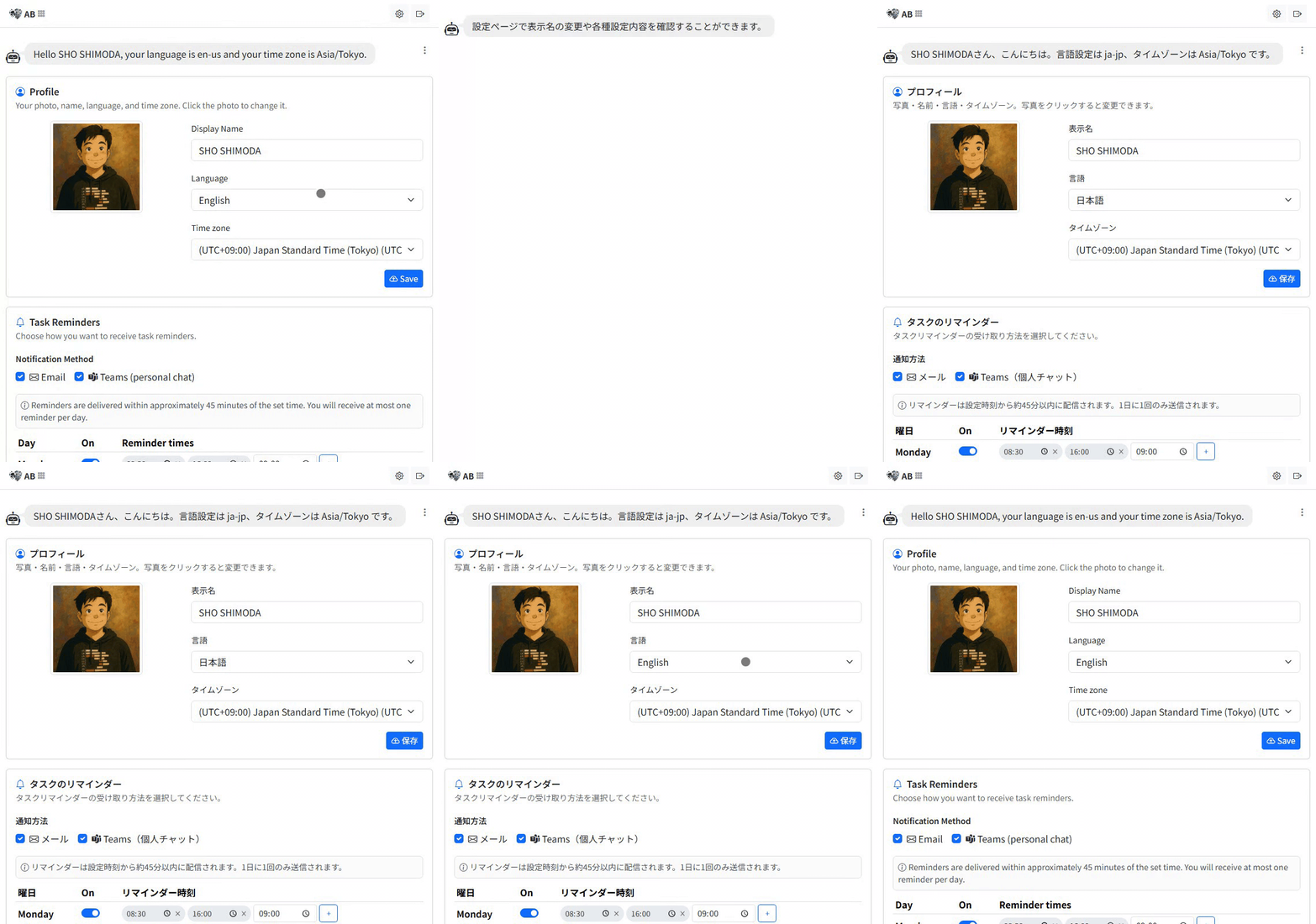
All 11 languages are in the dropdown. The Language menu lists every supported language, so you can switch to any of them yourself. Your choice is saved to your profile and follows you to every device you sign in from.
What your language setting changes
| Area | Behavior |
|---|---|
| Interface text | Menus, labels, and messages throughout AB Projects, with English as the fallback for untranslated strings. |
| Task option names | Statuses, types, and environments appear in your language when the project has added localized names for them. |
| Change history & bot replies | Localized where covered; English fallback elsewhere. |
| Dates | Always a clear ISO-style format (e.g. 2025-12-01) for everyone, regardless of language — so dates read the same across a mixed-language team. |
| Delivery times | Follow your time zone, which is a separate setting in the same Profile card — see Editing Your Profile and Icon. |
Tips
- Seeing an English label in an otherwise translated screen? It simply hasn't been localized for your language yet — English is the fallback.
- When you configure a project's statuses, types, and environments, add localized names so teammates see them in their own languages.
- Set your time zone alongside your language so task reminders arrive at the right local time.
In short: AB Projects speaks 11 languages, meets you in the one your Teams already speaks, and lets you change it whenever you like.