Documents is the shared knowledge workspace inside each AB project. Use it for durable information your team needs to find and reuse, such as guides, decisions, specifications, meeting notes, runbooks, and onboarding instructions.
Find and open documents
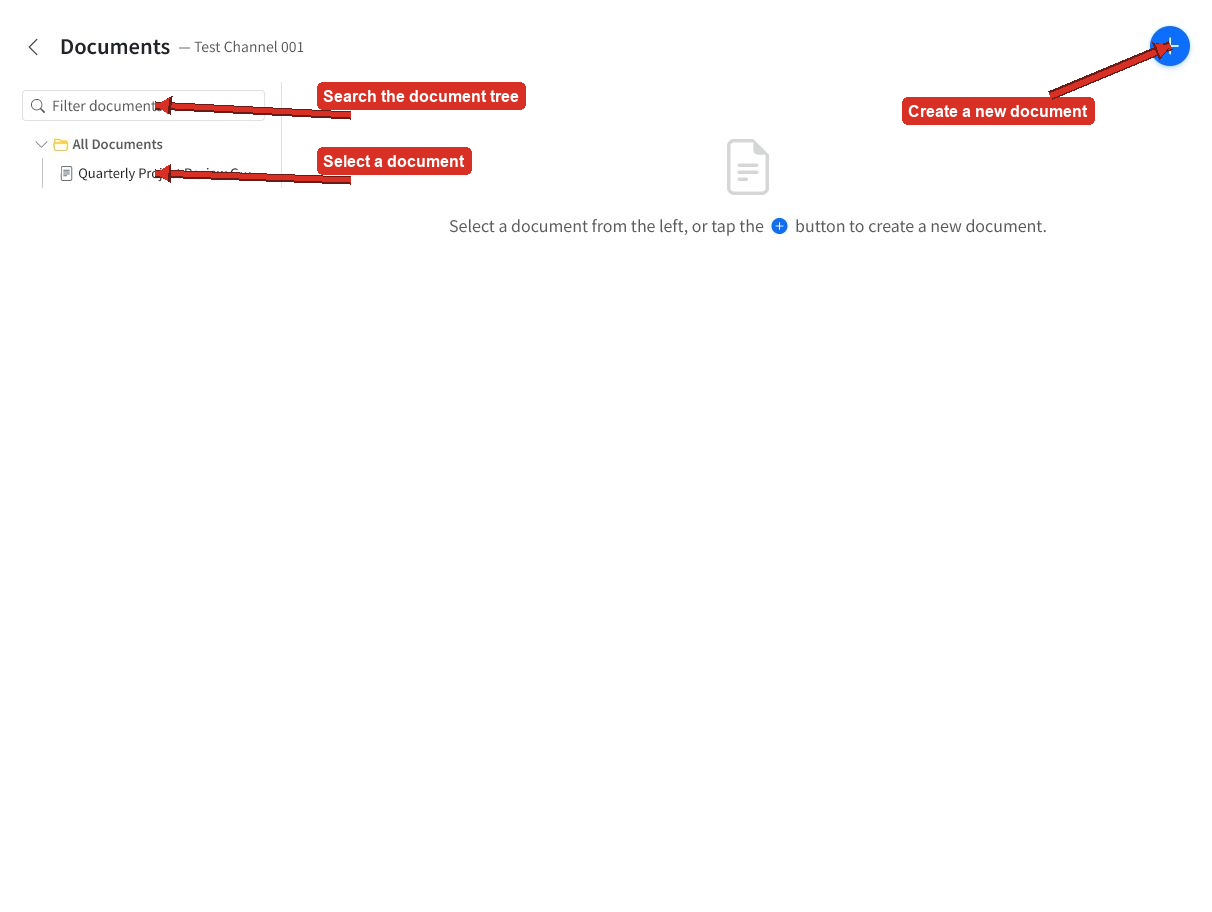
Open a project and select Documents. Use the search box to filter the document tree, then select a document to open it.
Select the plus button to create a new document.
What a document contains
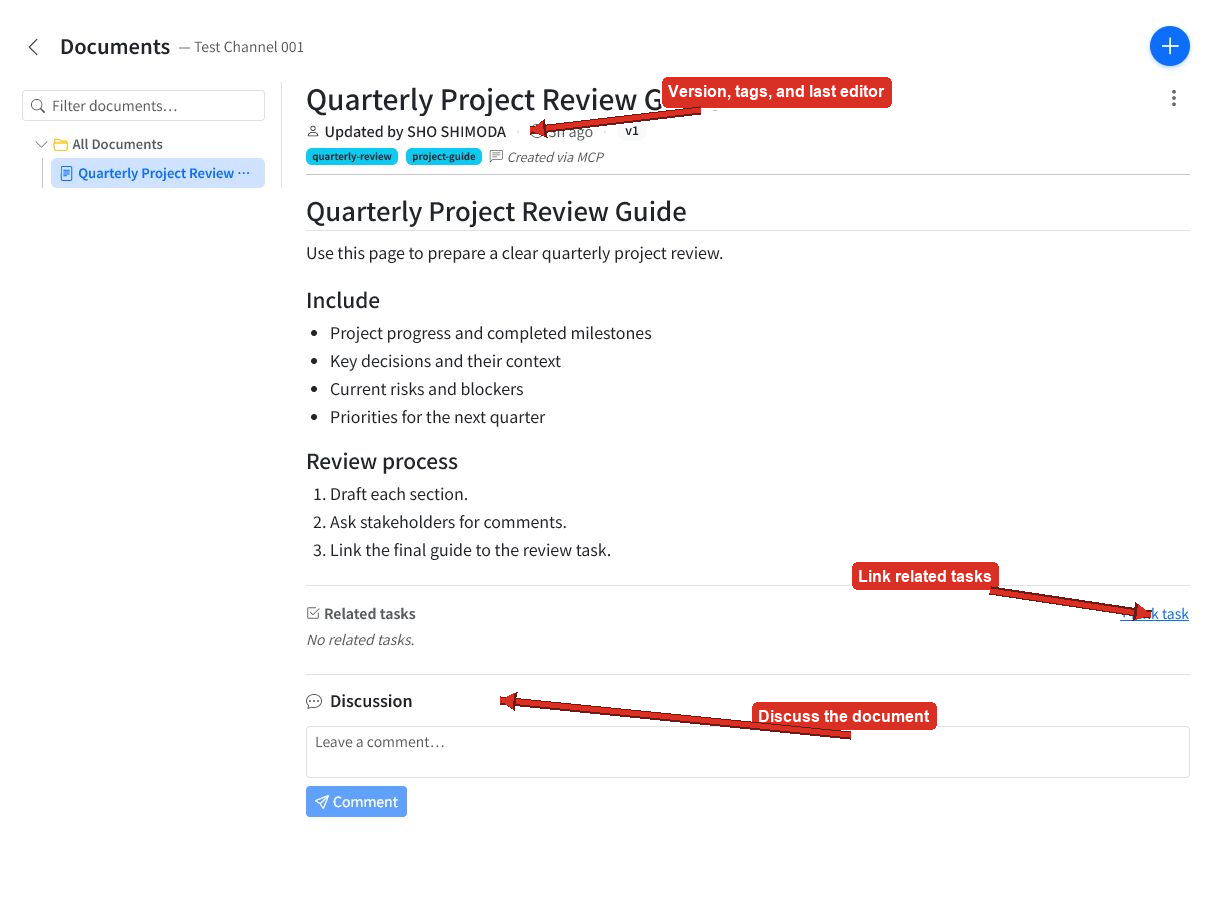
Each project document can include:
- A title and folder location
- Markdown content
- Searchable tags
- The last editor and modified time
- A version number
- Related tasks
- A discussion thread
Read and collaborate
The document page displays the rendered Markdown and its current metadata.
Use Related tasks to connect the page to active work. Use Discussion to leave comments without changing the document itself.
Create a document
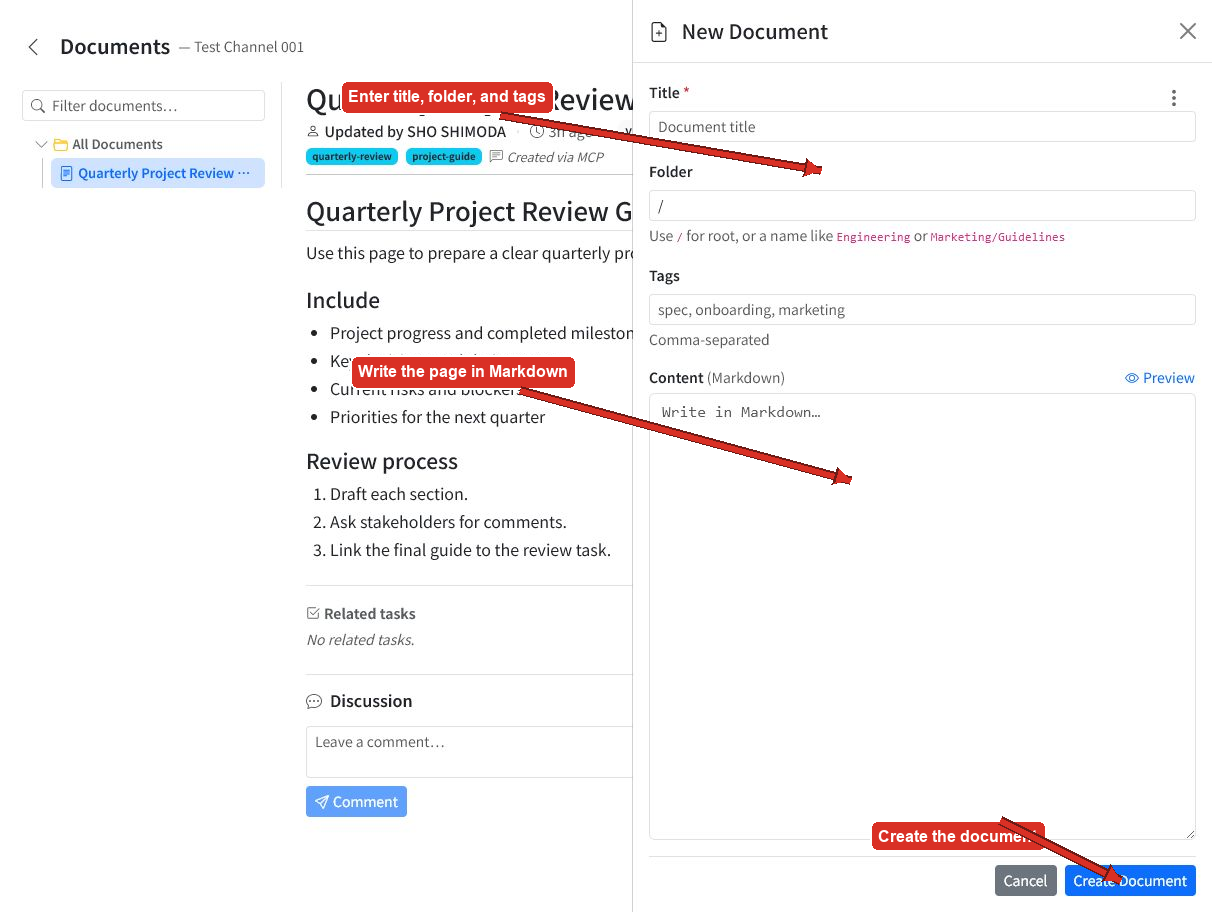
Select the plus button, then enter a title. Optionally organize the document in a folder and add comma-separated tags.
Write the page in Markdown, use Preview to check it, and select Create Document.
Documents versus tasks
Use tasks for active work that needs an owner, priority, schedule, progress, or completion state. Use Documents for durable knowledge that explains the work and preserves what the team learns.
Documents and AI agents
An AI agent connected to AB Projects can create, read, update, and list project Documents. This makes Documents a useful shared knowledge source for both people and agents.
Tips
- Give documents specific titles that are easy to recognize in the tree.
- Use folders for broad areas and tags for topics that cross folders.
- Link a document to related tasks so instructions and decisions stay close to the work.
- Use Discussion for feedback, then update the document when the team reaches a decision.