Project Documents are Markdown pages your team can organize, update, and review over time. New documents begin at version 1, and saving an edit creates a new version with an edit note.
Create a document
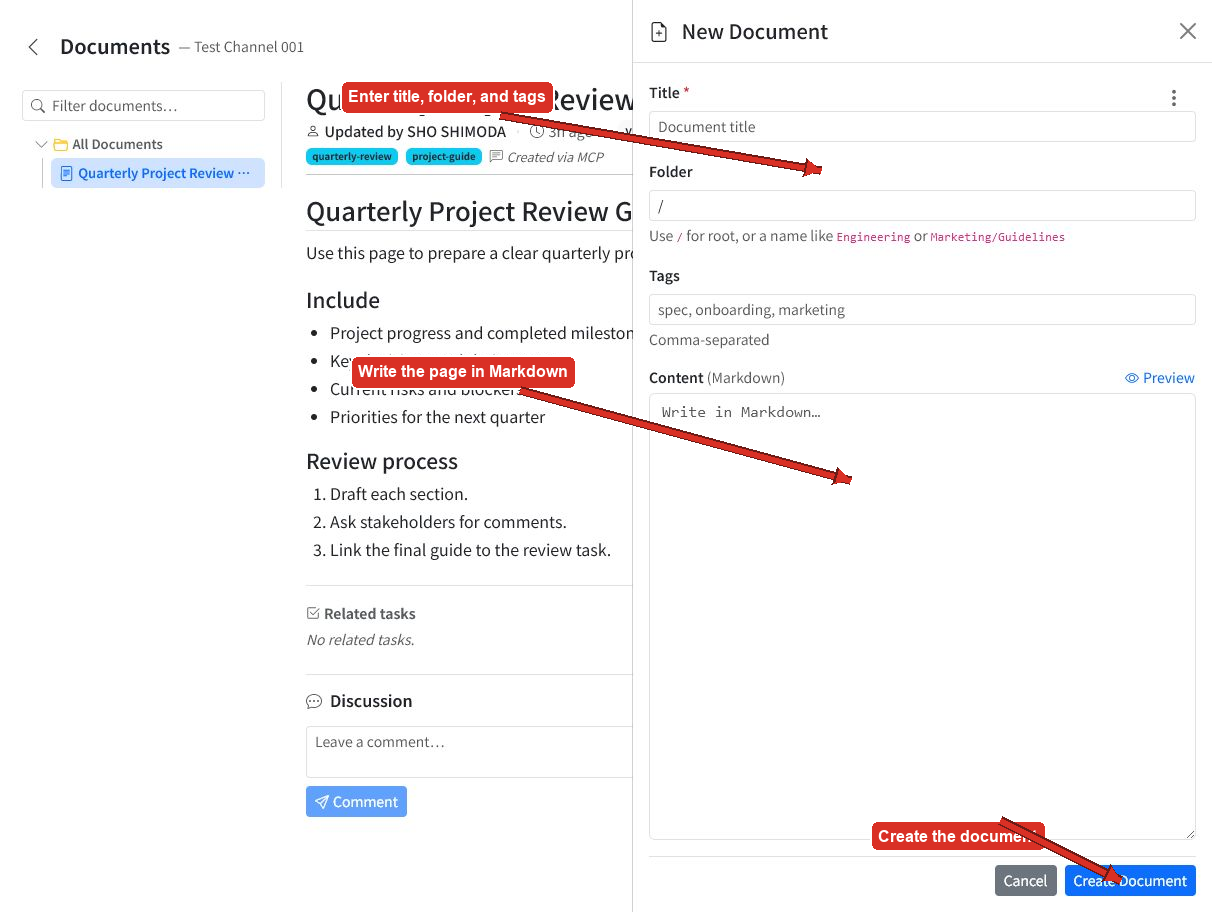
In the project's Documents area, select the plus button to open New Document.
- Enter a required title.
- Use
/for the root folder, or enter a folder such asEngineering. - Add optional comma-separated tags.
- Write the content in Markdown.
- Select Preview to review the rendered page.
- Select Create Document.
Open document actions
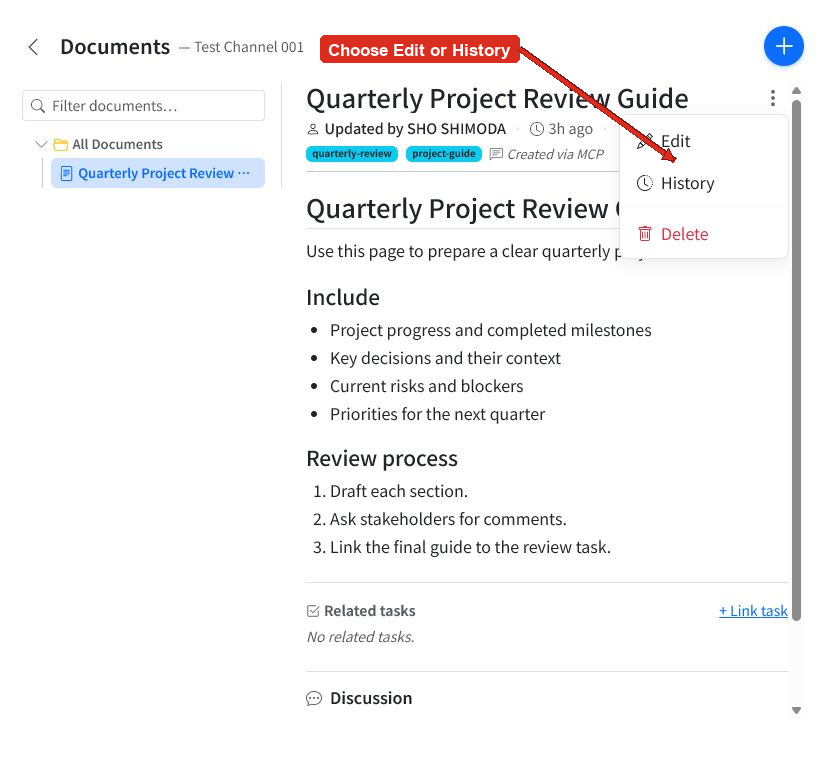
Open a document and select the three-dot More actions menu.
- Edit updates the document.
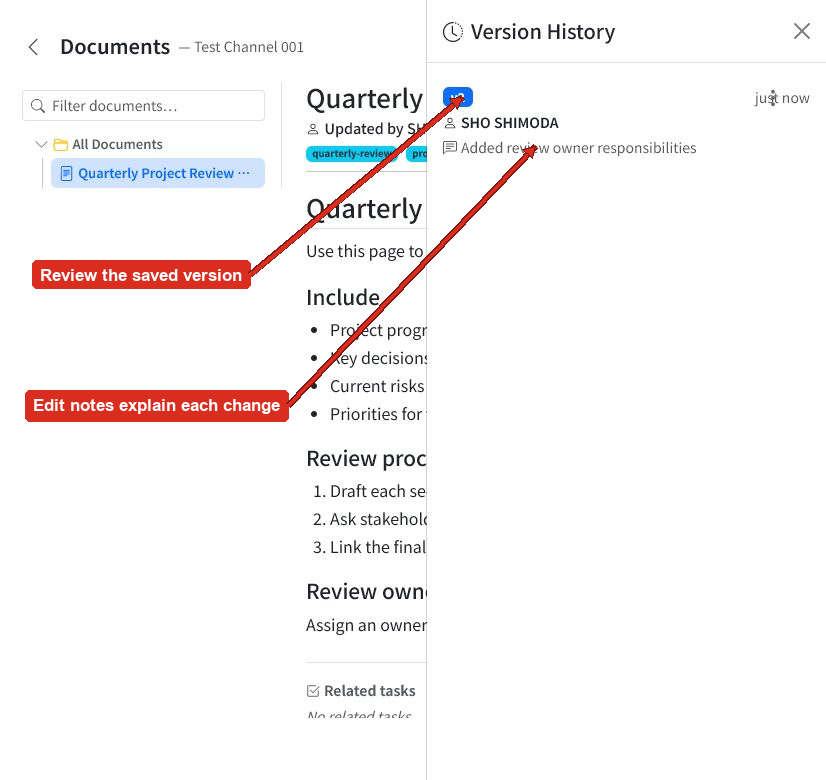
- History reviews its saved version and edit note.
- Delete removes the document. Use this action carefully.
Edit a document
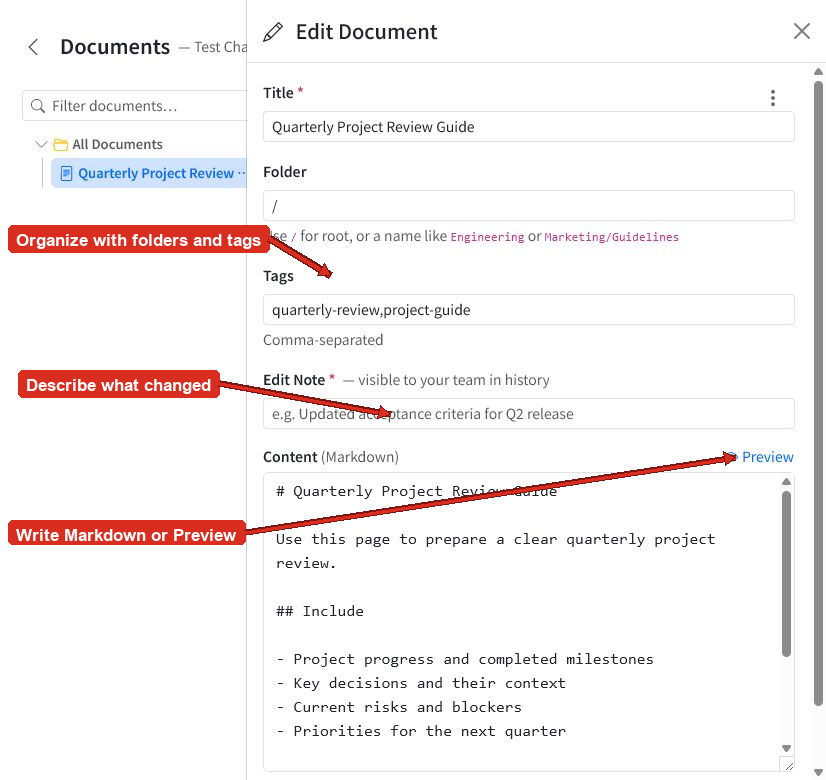
The Edit Document panel contains the current title, folder, tags, and Markdown content.
Make your changes, then enter a required Edit Note that briefly explains what changed. The note is visible to your team in History.
Use Preview to check the rendered page, then select Save Changes. Saving creates a new version.
Review version history
Choose History from the document actions menu to review saved version information:
- Version number
- Editor
- Saved time
- Edit note
Meaningful edit notes help teammates understand a change without comparing the full document.
Tips
- Use folders for broad areas and tags for topics that cross folders.
- Keep titles specific so documents are easy to recognize in the tree.
- Preview headings, lists, links, and code blocks before saving.
- Write edit notes that describe the outcome, such as
Added review owner responsibilities. - Prefer editing a document over deleting it when the information is still useful.