There is no Export button in AB Projects — no CSV or Excel download of tasks, no change-log file, no activity-report generator. Your data isn't locked in, though: it's fully preserved, and there are three real ways to get at it today.
Don't go hunting for a Reports or Export menu — it doesn't exist yet. (You may have seen CSV import/export for leads and customers in AB Sales — that's a separate product; it doesn't apply to project tasks.) If your team needs task exports for audits or BI, tell us — it directly helps us prioritize building it.
Your data is preserved, even without an export
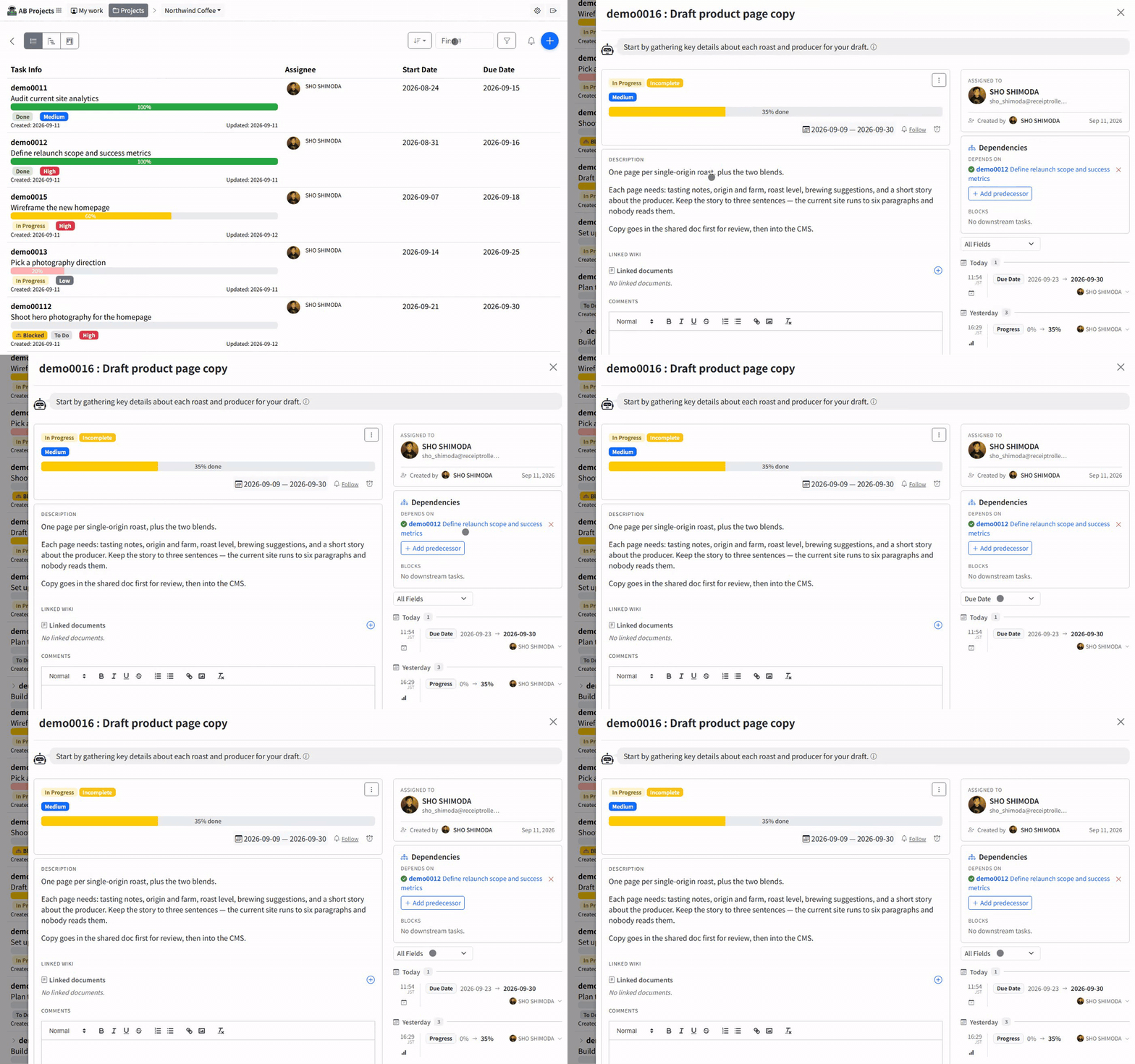
- Per-task change history. Every change is recorded with who made it, when, the old and new values, and the reason entered — viewable any time in the task's detail panel.
- The Teams channel as a durable record. Task events and comments post to the linked channel as Adaptive Cards carrying the change diff and reason, so the channel itself is a timestamped, searchable history you can scroll back through. (If your project has switched some event types off in Notification Preferences, those events still live in the task's own history — only the channel copy is skipped.)
- Comments and attachments stay on the task; removing a member doesn't erase what they wrote.
Three ways to get data out today
- Filtered views for reviews. The filter panel (keyword, status, type, environment, assignee, priority, completion) plus the List, Gantt, and Kanban views slice the project down to exactly what a meeting needs — no file required. See Creating and Editing Tasks for the filter panel in action.
- An AI assistant over MCP. MCP (an open standard that lets AI tools like Claude or ChatGPT connect to apps) gives an assistant read access to your tasks — it can search, list, and summarize them, and paste the result into a spreadsheet or report for you. This is the closest thing to structured export today. Set it up in Connecting AI Assistants via MCP; the available queries are in the MCP Tools Reference.
- Ask support. For a one-off need — leaving records for an audit, migrating, or offboarding — contact us and we'll help you get your data. See Data Retention and Export for what's kept and for how long.
Quick reference
| You want | Available today? | Use instead |
|---|---|---|
| Task list as CSV/Excel | Not yet | An MCP-connected AI assistant reading tasks out |
| Change-log file | Not yet | Per-task history in the detail panel; the channel card thread |
| Periodic activity report | Not yet | Filtered views in a review meeting; your daily digest |
| Full data for audit / offboarding | Via support | Contact us — see Data Retention and Export |
Until a dedicated export ships, the change history, the channel record, and an MCP-connected assistant keep every piece of project data visible, reviewable, and reachable.